Manage Application Policies
Application-level rate limiting policies are applicable per access token generated for an application.
Default Application Tiers
The default rate limiting tiers are as follows:
| Tier | Limit |
|---|---|
| 10PerMin | 10 requests per minute |
| 20PerMin | 20 requests per minute |
| 50PerMin | 50 requests per minute |
| Unlimited | No limit (available by default) |
Adding a New Application-Level Rate Limiting Tier
- Sign in to the Admin Portal using the URL https://localhost:9443/admin and your admin credentials (admin/admin by default).
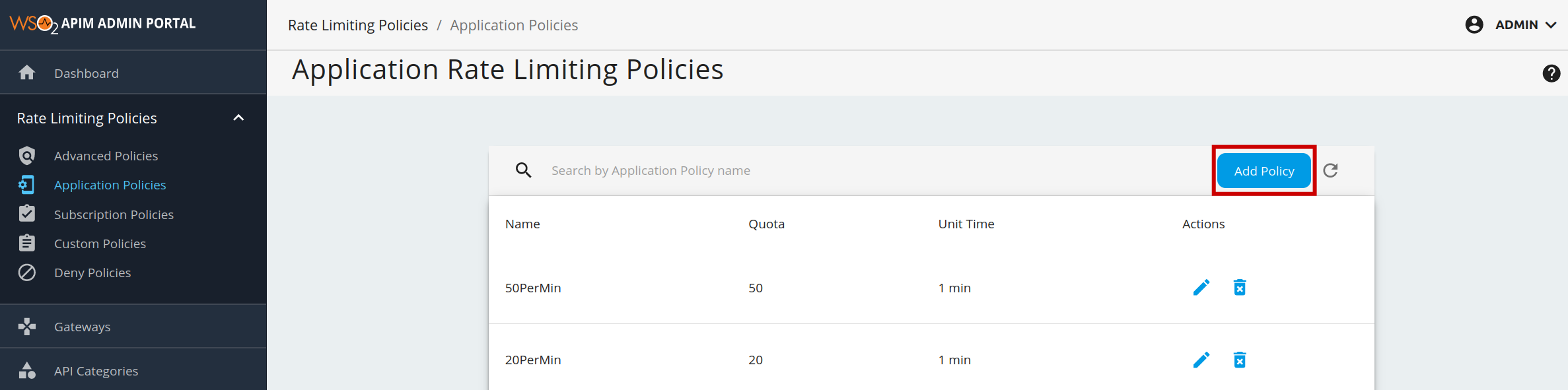
- Click Application Policies under the Rate Limiting Policies section to see the set of existing rate limiting tiers.
-
To add a new tier, click Add Policy.
-
Fill in the required details and click Save.
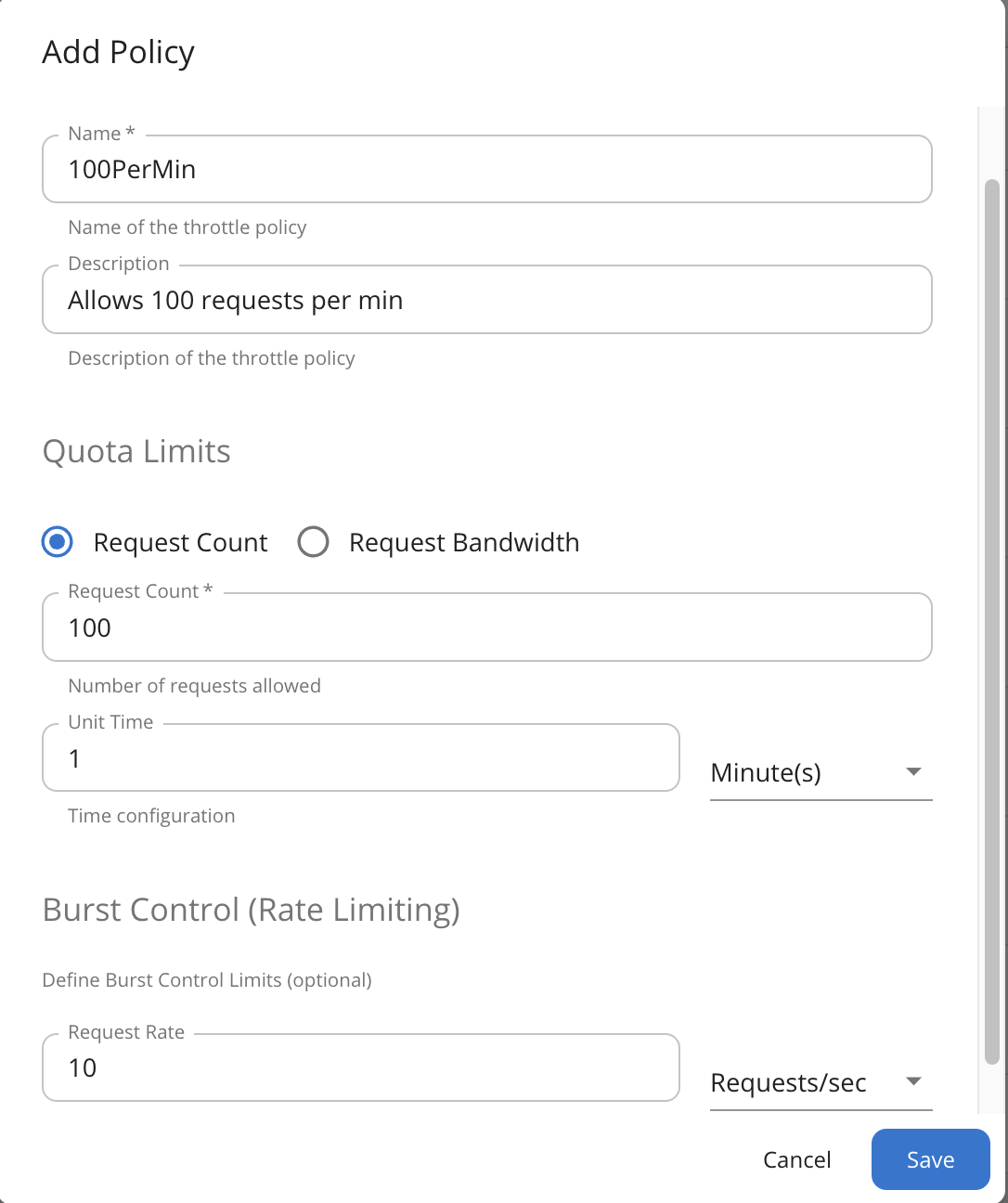
You have added a new application-level rate limiting policy.