Role based access control for Admin Portal
Super admin can restrict each section in the admin portal based on the scopes. Please follow the below scopes chart to define scopes.
Step 1 - Create a new role
- Sign in to WSO2 Management Console (
https://<Server Host>:9443+<port offset>/carbon) - Click
AddunderUsers and Roleand click onAdd New Role. - Give a name for the role and click
next. - In the permissions screen give the necessary permissions. For example we can enable the
Loginpermission.
Step 2 - Create a new user
- Click
AddunderUsers and Roleand click onAdd New User. - Give an username, password and click
next. - On the
Users of rolescreen, choose and assign the role previously created to the new user.
Step 3 - Assign scopes for the user
- Sign in to WSO2 the Admin portal (
https://<Server Host>:9443+<port offset>/admin) as the super admin or tenant admin - Click
Scope Assignmentsin the left sidebar and click onAdd scope mappings. - In the
Provide role nametext input give the role name which was previously created in step 1 and then clicknext. -
In the
Select Permissionsmenu, select theCustom scope assignmentsoption. And select the scopes that you want to assign for the newly created role. You can refer the following table when assigning the scopes. For example, If the admin wants the newly created user to access the key managers settings in the admin portal he can assignapim:keymanagers_manage,apim:tenantInfo, andapim:admin_settings.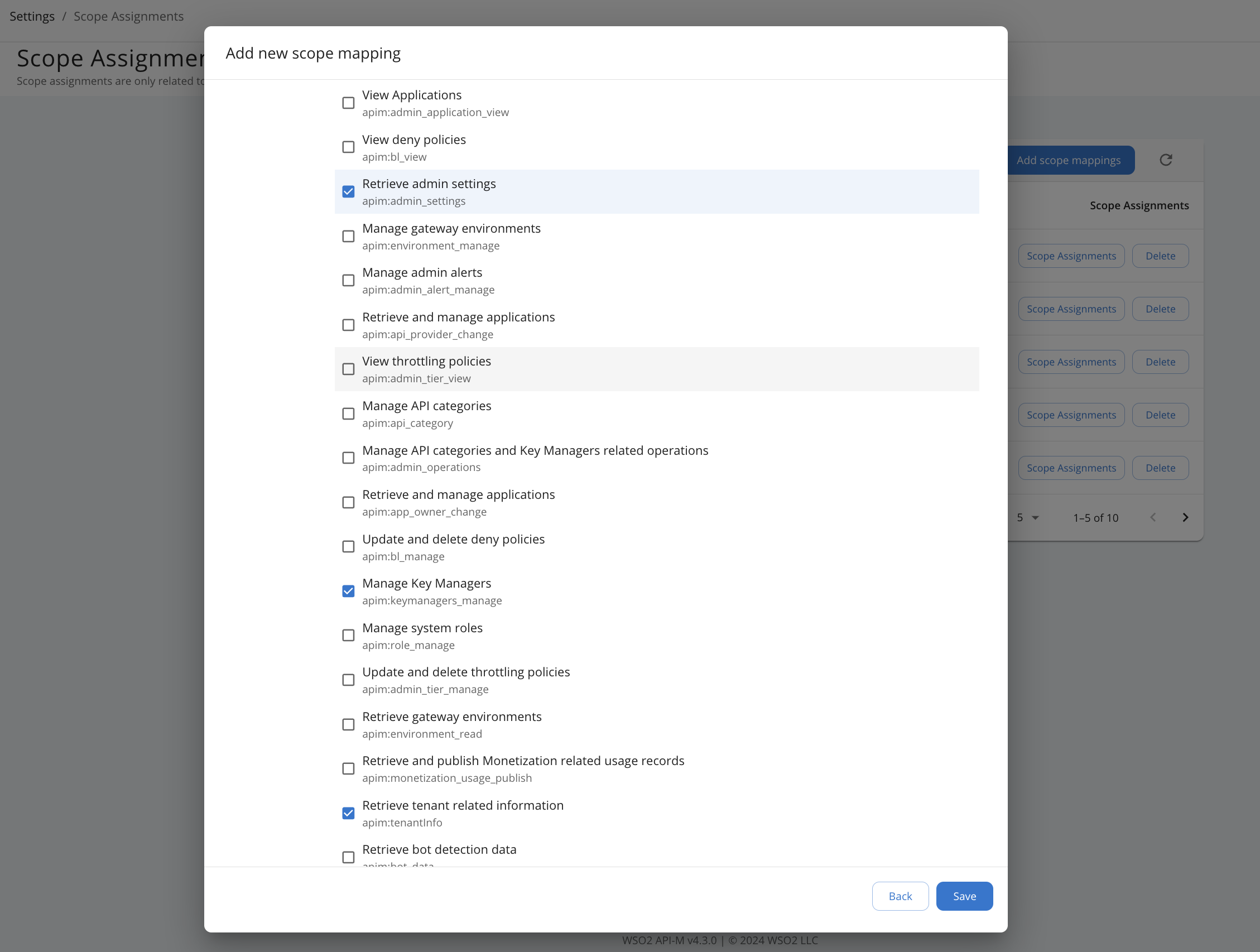
-
Finally, login to the admin portal as the newly created user which was created in step 2. The user can only access the
Key Managerssettings page.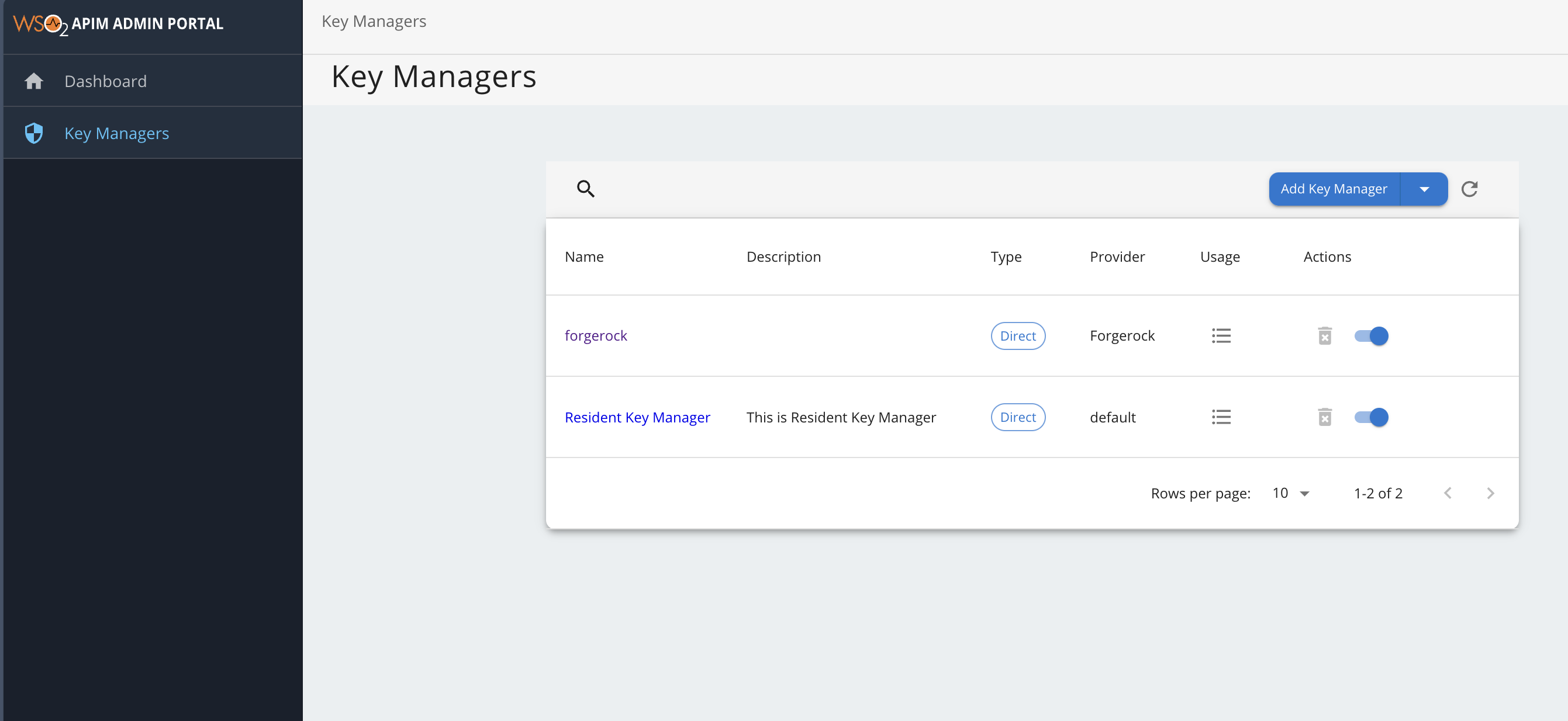
| Admin portal Menu | scopes |
|---|---|
| Rate Limiting Policies | apim:admin_tier_view, apim:admin_tier_manage, apim:tenantInfo, apim:bl_view, apim:bl_manage, apim:admin_settings |
| Gateways | apim:environment_manage, apim:admin_settings, apim:environment_read |
| API Categories | apim:api_category, apim:tenantInfo, apim:admin_settings |
| Key Managers | apim:keymanagers_manage, apim:tenantInfo, apim:admin_settings |
| Tasks | apim:api_workflow_view, apim:api_workflow_approve, apim:tenantInfo, apim:admin_setting |
| Settings | apim:app_owner_change, apim:api_provider_change, apim:admin_application_view, apim:scope_manage, apim:admin_settings, apim:tenantInfo |