Create a MCP Server by Importing an OpenAPI Definition
This creation path is used when you already have an OpenAPI definition for your backend service and want to quickly turn its operations into MCP tools. The Publisher Portal will import the definition, list all available operations, and let you select which ones to expose as tools. You can then configure your MCP Server details—such as name, context, version, and runtime endpoint—before publishing it through APIM.
Tip
The quality of the imported tools depends on the quality of your OpenAPI definition. Clear operation IDs, descriptions, and parameter schemas will result in more usable and descriptive tools.
-
Go to the Publisher Portal
- Navigate to MCP Servers in the Publisher Portal.
- If you have existing MCP Servers, click the Create MCP Server button.
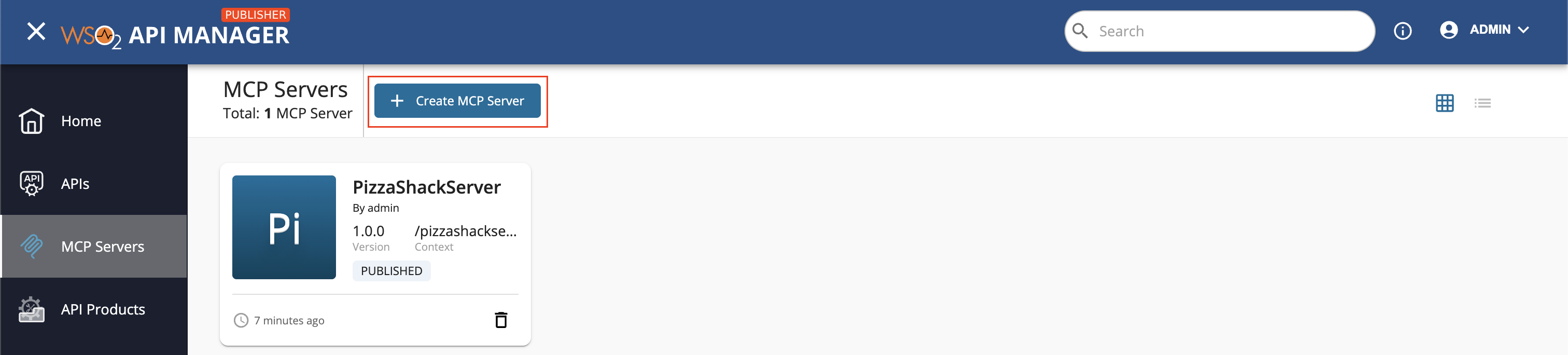
- If this is your first MCP Server, you'll see the "Let’s get started!" page.
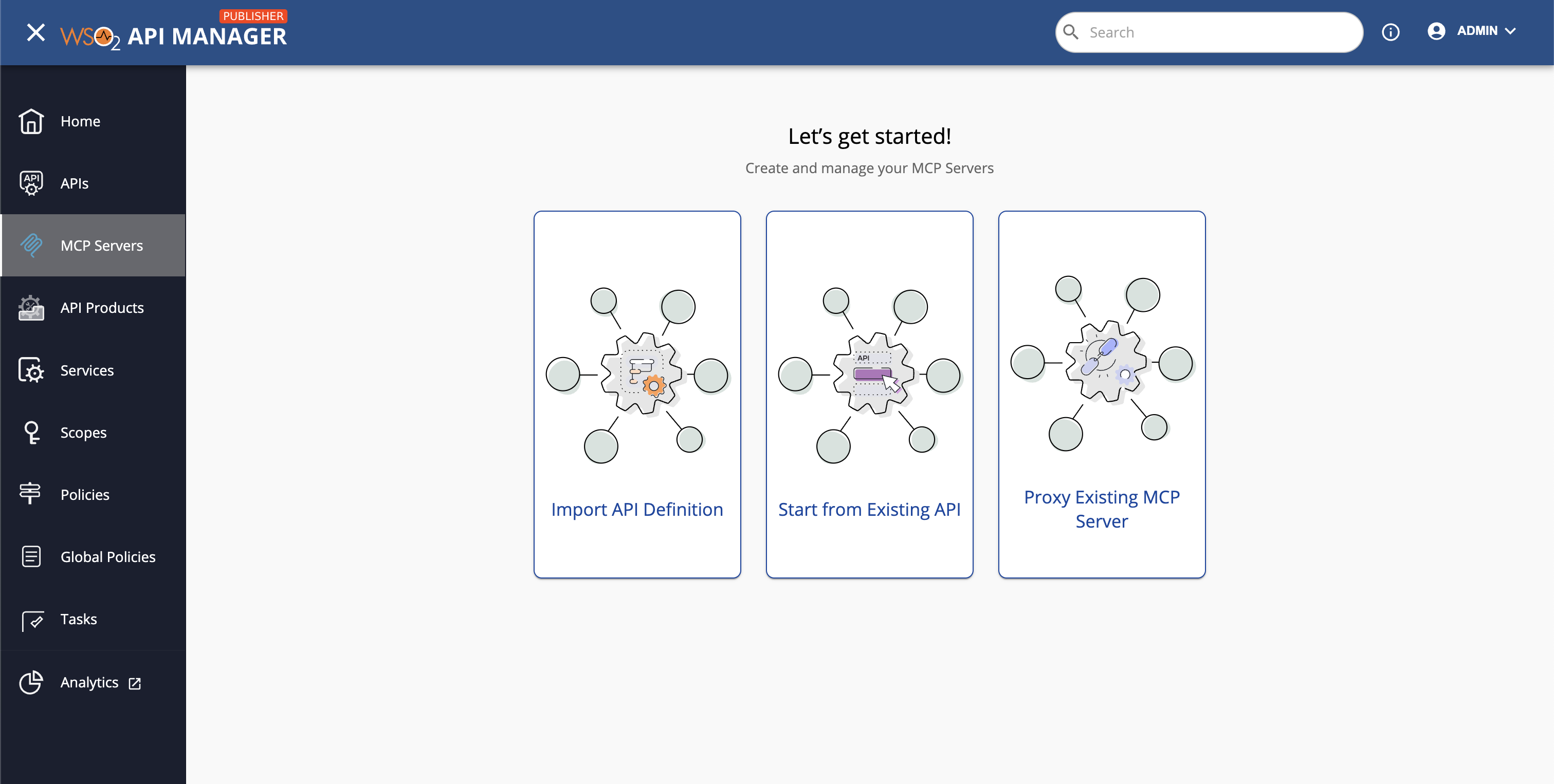
- In the navigation, click Import API Definition → Create MCP Server from Definition.
-
Provide the definition
- Select OpenAPI URL and enter:
https://petstore3.swagger.io/api/v3/openapi.json - Click Next.
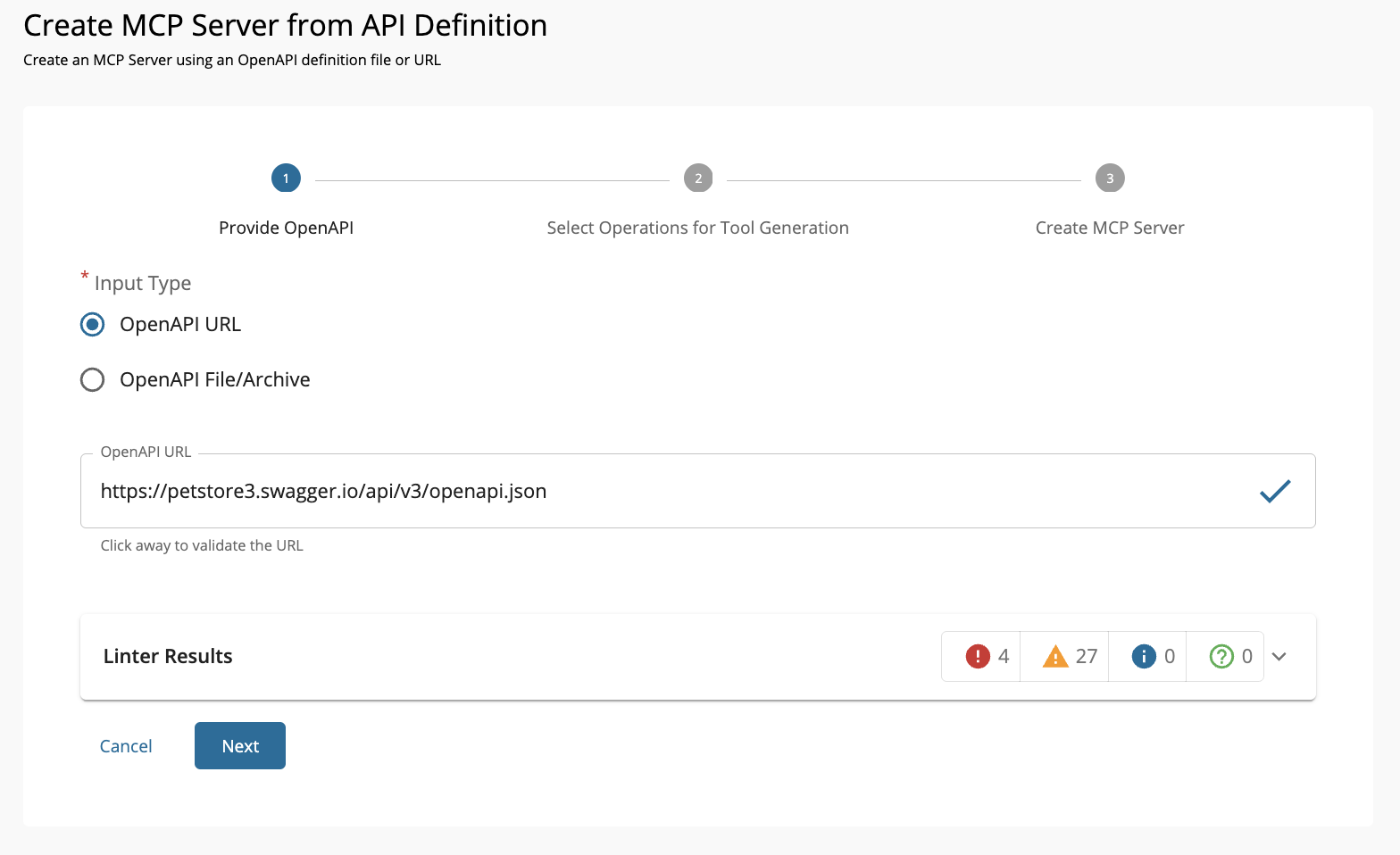
- Select OpenAPI URL and enter:
-
Select tools to import
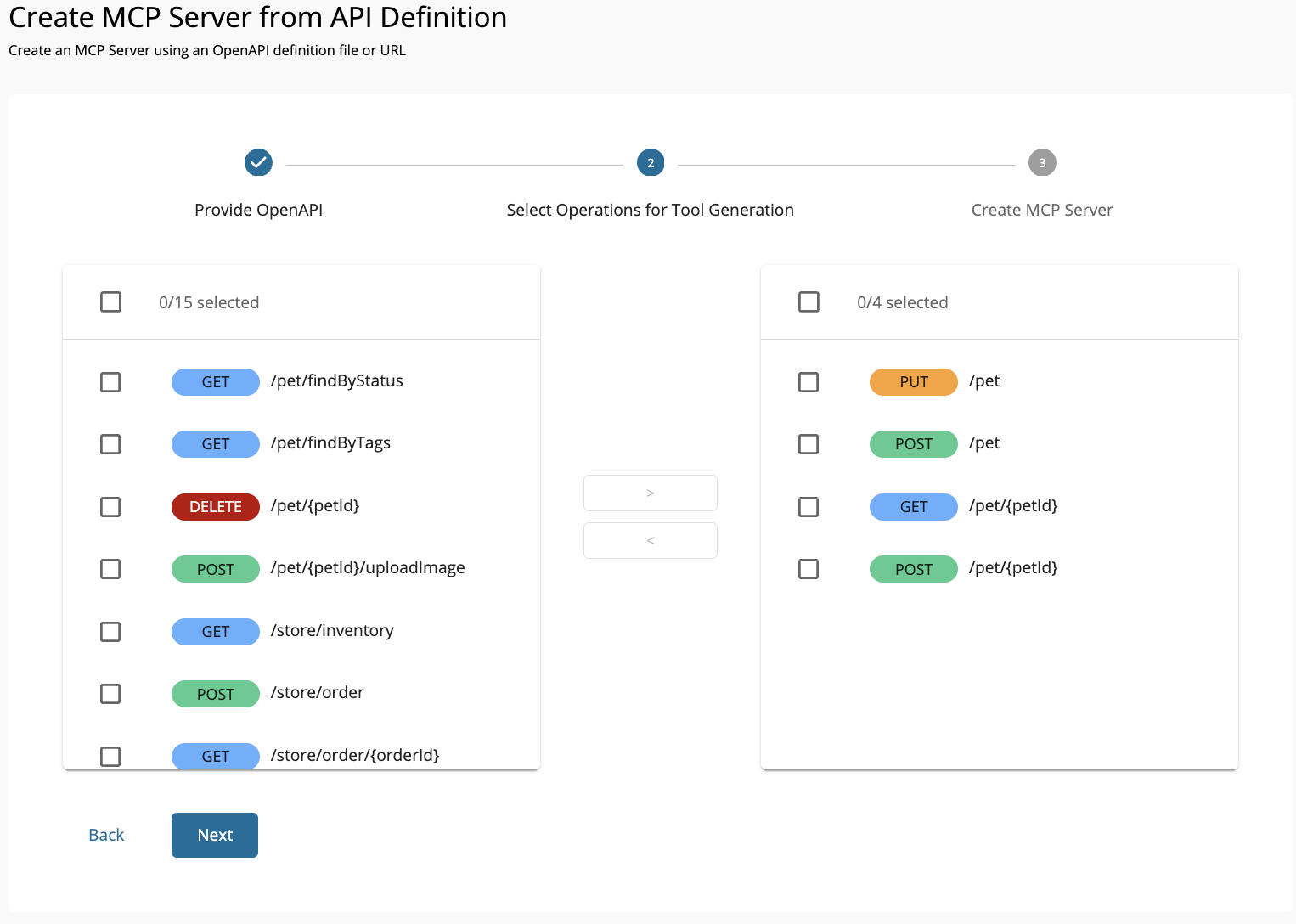
- Review all operations from the OpenAPI.
- Select the operations to expose as tools. Click Next.
-
Enter MCP Server details
Fill in the details below and click Create.
Note
The Endpoint must be the backend base URL your tools will call at runtime—not the OpenAPI document URL.
Field Sample value Name Petstore Context /petstore Version 1.0.0 Endpoint https://petstore3.swagger.io/api/v3 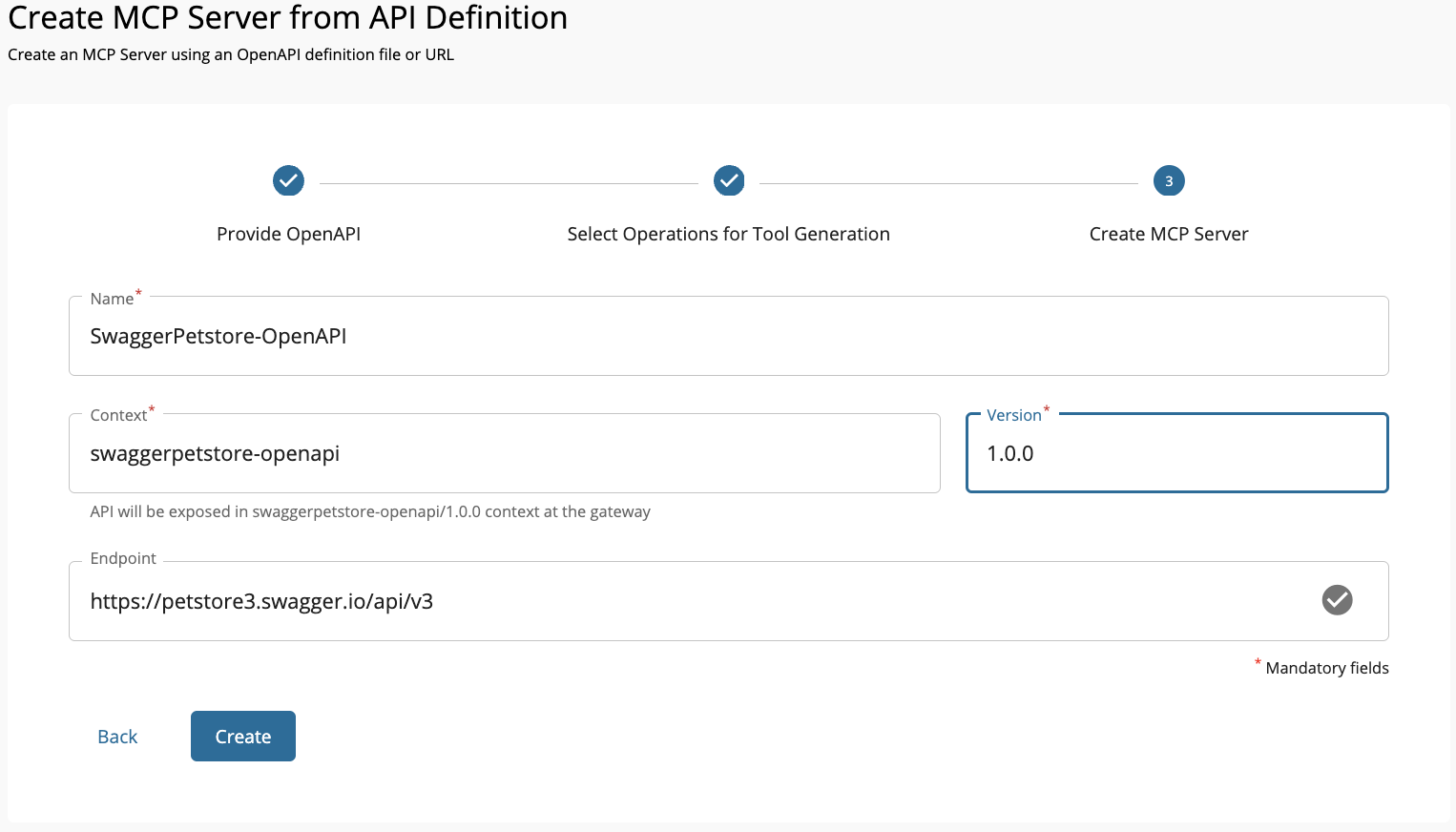
Next Step → Update and Deploy Your MCP Server
Once the MCP Server is created, you may want to refine tool names and descriptions, test them in the MCP Playground, and deploy them to the desired Gateway. For a complete walkthrough, see Updating Tools and Deploying the MCP Server.