Secure Endpoint with OAuth 2.0
A secured endpoint is when you have access-protected resources. WSO2 API Manager supports Basic Authentication, Digest Authentication, and OAuth 2.0. They differ on how the credentials are communicated and how access is granted by the backend server.
OAuth 2.0 is the industry-standard delegation protocol for authorization and focuses on client developer simplicity while providing specific authorization flows for applications. In other words, OAuth 2.0 enables an application to obtain limited access to an HTTP service, without actually revealing a resource owner's long-term credentials or identity.
OAuth brings in a separate authorization layer in order to separate the role of the client from that of the resource owner. In order to gain access to a protected resource, the client should obtain a set of properties including an access token, its lifetime, and scope instead of credentials of the resource owner, from the backend server.
Authorization grant types supported by OAuth 2.0 Endpoint Security
The OAuth 2.0 Authorization Framework specification declares 4 grant-types to obtain an access token. OAuth 2.0 Endpoint Security supports the following grant types:
-
Client Credentials
-
Resource Owner Password
Securing an endpoint with OAuth 2.0 in WSO2 API Manager
When you create an API using the API Publisher, you can specify the production and sandbox endpoints of the API backend implementation via the Endpoints page.
Follow the instructions below to use OAuth 2.0 as the endpoint authorization type when using a secured endpoint and allow WSO2 API Manager to communicate with the backend to retrieve access tokens on behalf of the API.
-
Click Endpoints in API Publisher.
-
Click the Endpoint Security symbol that corresponds to the endpoint that you want to secure with OAuth 2.0.
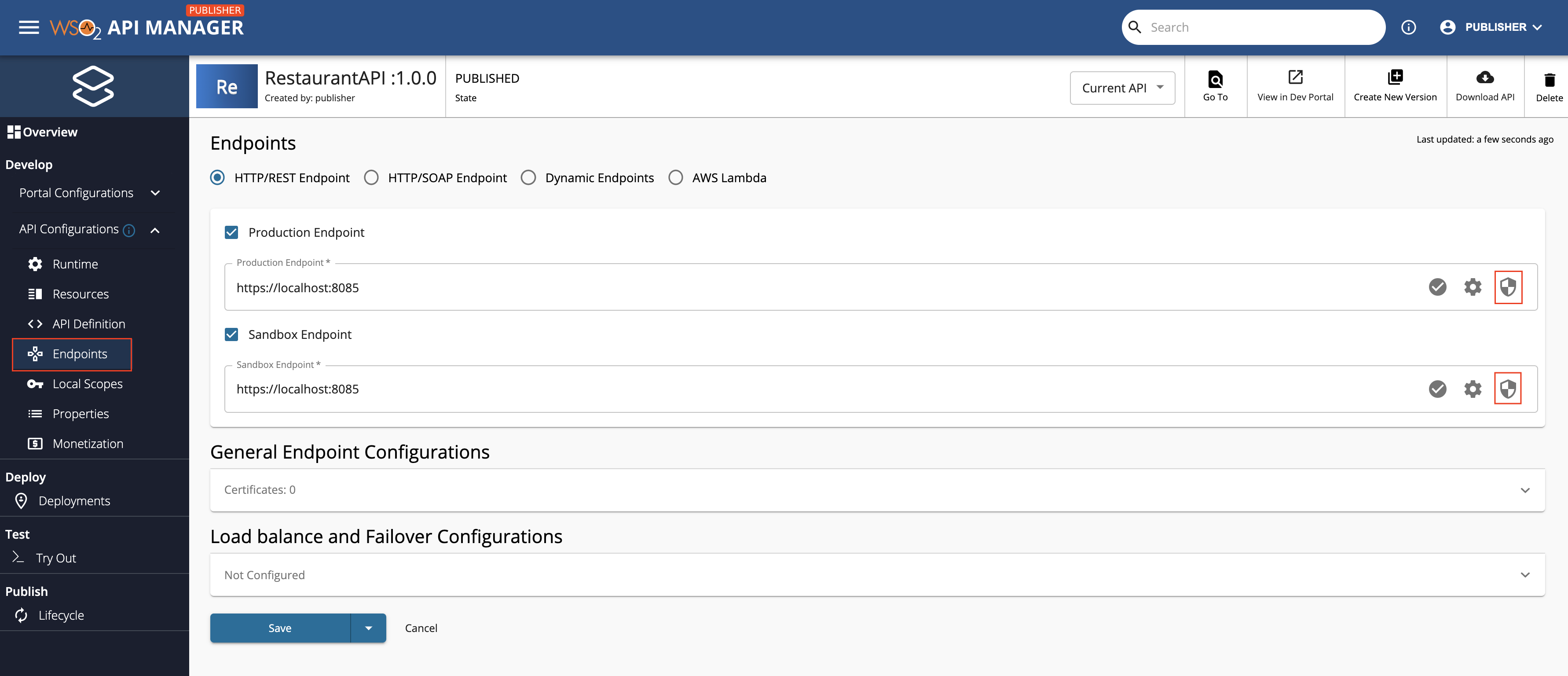
-
Click on OAuth 2.0 from the drop-down menu.
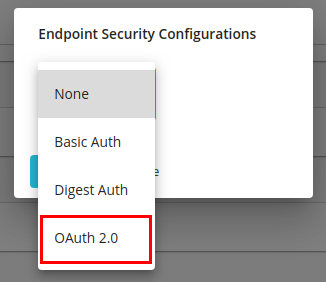
-
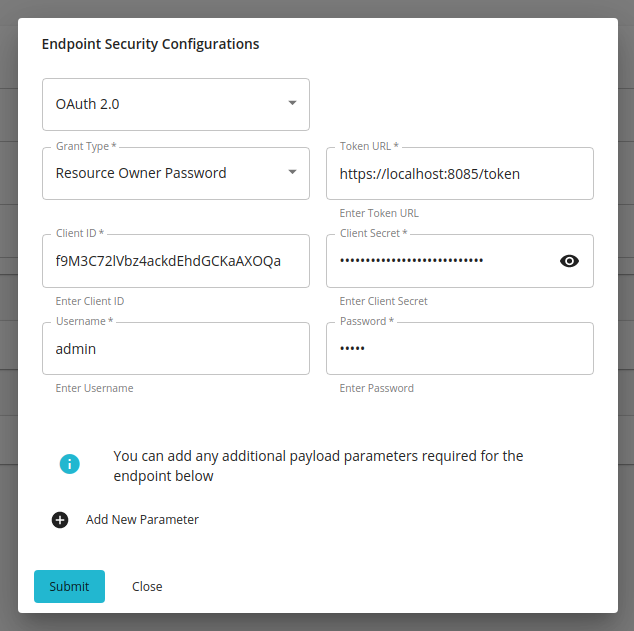
Select the preferred grant-type from the next drop-down menu and enter the required properties.
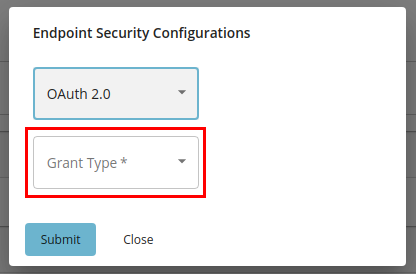
a. Provide the following properties with regard to Client Credentials:
Token URLThis is the URL for the token endpoint of the OAuth-protected backend server. Client IDA unique ID used to identify the application. Client SecretA unique key that must be known only to the application and the backend server.
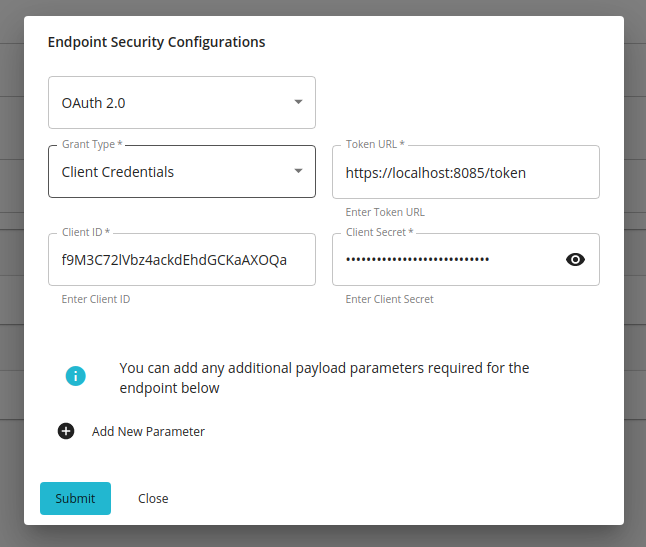
b. Provide the following properties with regard to the Resource Owner Password in addition to the properties that you entered as the Client Credentials grant-type:
-
Username - Username of a user with access to the resource.
-
Password - Password of a user with access to the resource.
-
-
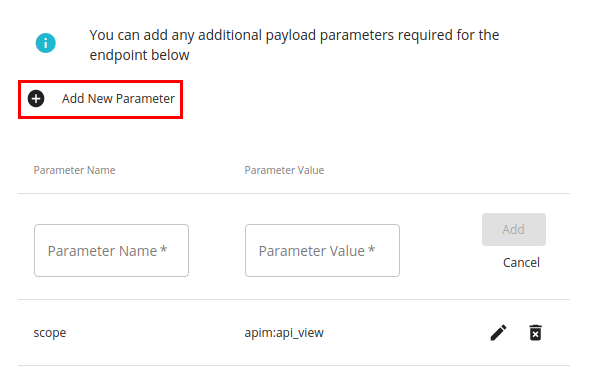
If the OAuth-2.0-protected backend server token endpoint requires any other properties to be passed in addition to the above, click Add Parameter and provide the required properties and their respective values.
Editing and removing parameter name-value pairs are also supported.
-
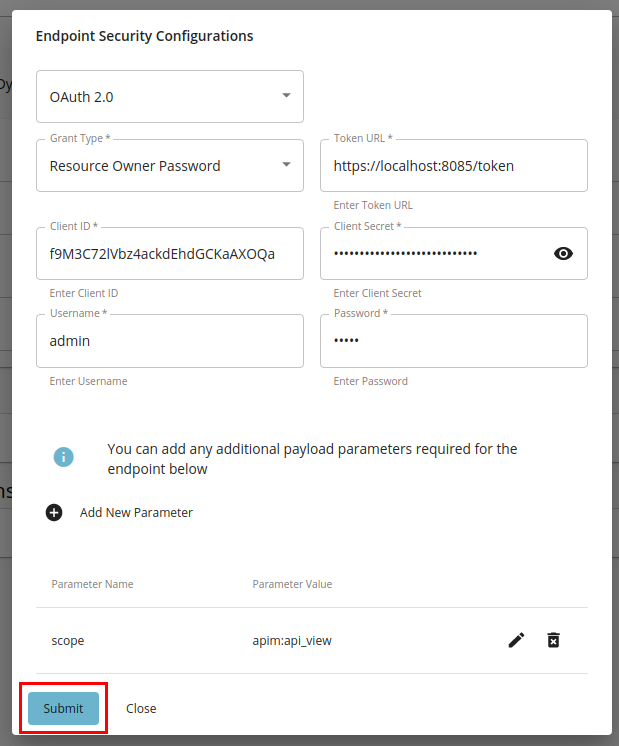
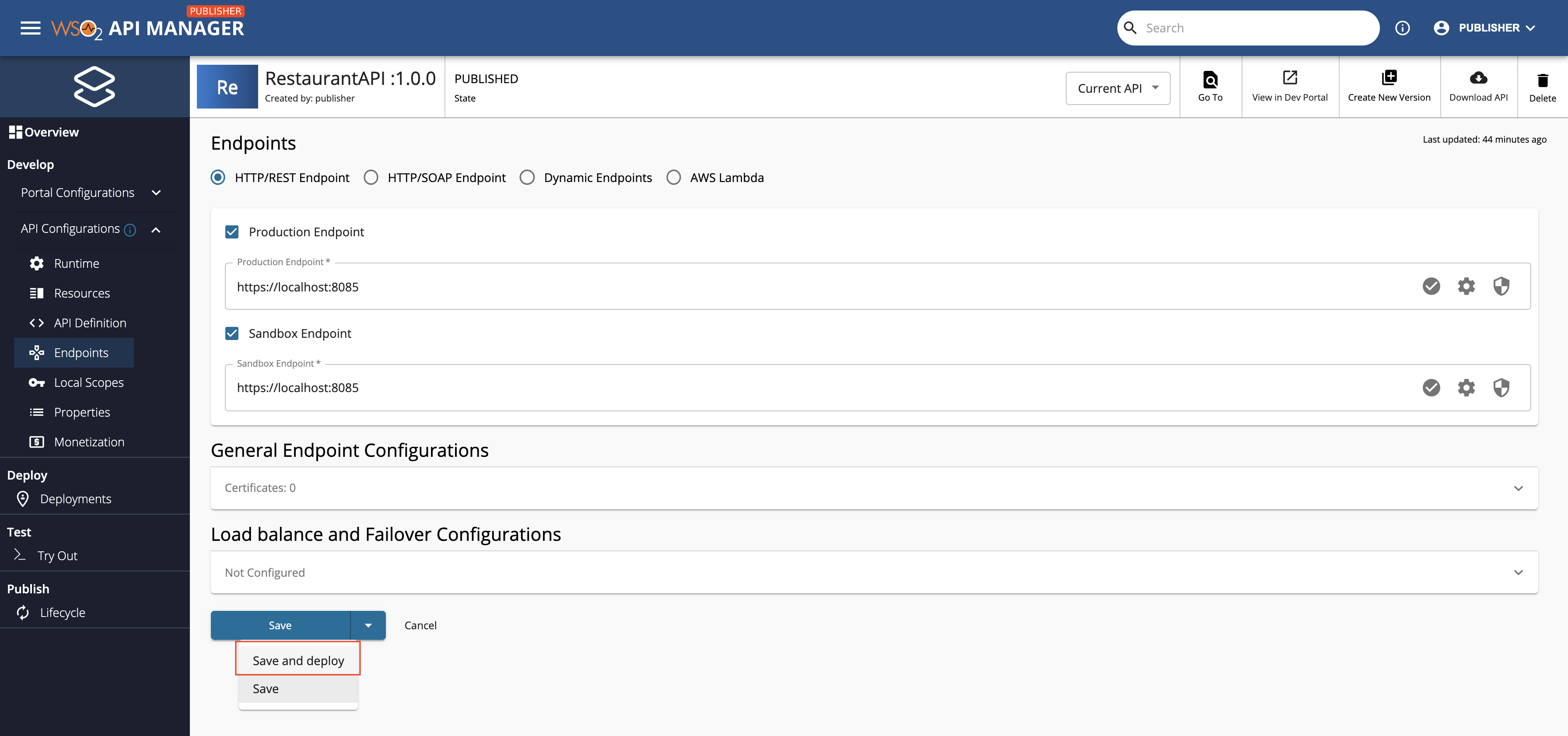
Click Submit to confirm the details of the respective endpoint, and then click Save and deploy in the Endpoints page to save all the changes.
Info
The Endpoint Auth Type selected should match with the authentication mechanism supported by the secured endpoint.

Using a Redis Server to handle access token caching instead of the default in-memory cache
OAuth 2.0 Endpoint Security in WSO2 API Manager allows you to use a remote Redis Server as a cache to store access tokens and other relevant properties instead of the default in-memory cache. This step is highly-recommended when your WSO2 API Manager deployment includes multiple API Gateways, in order to allow the sharing of access tokens and other relevant properties between API Gateways and prevent the irregular syncing of access tokens.
Follow the instructions below to point WSO2 API Manager to a remote Redis Server that you can use as a Cache for OAuth 2.0 Endpoint Security token management:
Unauthenticated Redis Server
If you are using an unauthenticated Redis server, you should add the following configuration to the <API-M_HOME>/repository/conf/deployment.toml file.
[apim.redis_config]
host = {redis-server-hostname}
port = {redis-server-port}
[apim.redis_config]
host = "localhost"
port = 8080
Authenticated Redis Server
If you are using an authenticated Redis server, you should add the following configuration to the <API-M_HOME>/repository/conf/deployment.toml file.
[apim.redis_config]
host = {redis-server-hostname}
port = {redis-server-port}
user = {redis-server-username}
password = {redis-server-password}
database_id = {redis-server-database-id}
connection_timeout = {redis-server-connection-timeout-in-seconds}
ssl = {redis-server-is-ssl-enabled}
[apim.redis_config]
host = "localhost"
port = 8080
user = "admin"
password = "admin"
database_id = 1
connection_timeout = 36000
ssl = true
Configuring OAuth token management behavior
By default, WSO2 API Manager handles OAuth access token management at the Gateway (Synapse) level. The Gateway is configured to automatically retry requests when the backend responds with an Unauthorized HTTP status code (401). Upon receiving such a response, the Gateway obtains a new access token from the OAuth authorization server and retries the backend request with the refreshed token.
If you want to change this behavior and manage access tokens at the Control Plane instead, you can configure the following settings in the <API-M_HOME>/repository/conf/deployment.toml file:
[apim.mediator_config.oauth]
enable_retry_call_with_new_token = false
expires_in = "<default-token-expiry-time-in-seconds>"
[apim.mediator_config.oauth]
enable_retry_call_with_new_token = false
expires_in = "3600"
When enable_retry_call_with_new_token is set to false, the system proactively validates token expiry before invoking backend services. The expires_in configuration specifies the default token expiry time in seconds and is used when the OAuth authorization server returns an access token without an expires_in value, as this field is optional in the OAuth 2.0 specification.
Note
Difference between the two token management approaches:
-
Gateway-level management (default,
enable_retry_call_with_new_token = true): Employs a reactive approach where tokens are managed based on backend responses. The Gateway detects token expiry through Unauthorized HTTP responses (401) from the backend and automatically obtains a new token and retries the request. -
Control Plane management (
enable_retry_call_with_new_token = false): Employs a proactive approach where the system validates token expiry before invoking backend services. Token refresh is triggered based on theexpires_invalue prior to backend invocation. Theexpires_inconfiguration only applies when the OAuth authorization server does not provide anexpires_invalue in the token response.
Configuring a dedicated trust store for OAuth token endpoint connections
By default, OAuth token endpoint connections use the existing SSL context in the system. If you want to configure a separate trust store for the OAuth token endpoint connection, you can use the following configuration.
Add the following configuration to the <API-M_HOME>/repository/conf/deployment.toml file:
[apim.mediator_config.oauth.trust_store]
location = "<path to the trust store file>"
type = "<trust store type, e.g., JKS>"
password = "<trust store password>"
[apim.mediator_config.oauth.trust_store]
location = "repository/resources/security/client-truststore-oauth.jks"
type = "JKS"
password = "wso2carbon"