Limit Query Complexity
GraphQL allows clients to request any data they need, but some fields are more expensive to compute than others. A simple query might trigger complex database operations or call expensive external services, potentially overwhelming your backend.
Query Complexity Limitation protects your GraphQL API by analyzing how computationally expensive a query is before execution. Each field in your schema is assigned a complexity value representing its cost to resolve. Queries exceeding the configured maximum complexity are rejected before reaching your backend.
Tip
Complexity limits are defined in subscription tiers by Administrators. As a Publisher, you assign these tiers to your GraphQL API and configure field-specific complexity values. For creating custom subscription tiers with complexity limits, see Adding a new subscription-level Rate Limiting tier.
How Complexity Calculation Works
Each field in your GraphQL schema has a complexity value. If no value is specified, it defaults to 1. Fields requiring expensive operations (database queries, external API calls) should have higher complexity values.
Simple query (no arguments):
query {
    allFilms {              # complexity 1
        id                  # complexity 3
        title               # complexity 1
        planets {           # complexity 2
            climate         # complexity 1
        }
    }
}

# total complexity = 1 + 3 + 1 + 2 + 1 = 8
With arguments (multiplied by list size):
query {
    allFilms(first: 5) {          # complexity 1
        id                         # complexity 1
        title                      # complexity 1
        planets(first: 2) {        # complexity 1
            climate                # complexity 1
        }
    }
}

# total complexity = ((( 1 + 1 ) * 2 ) + 1 + 1 + 1 ) * 5 = 35
Nested lists:
query {
    allFilms(first: 5) {                # complexity 1
        id                              # complexity 3
        title                           # complexity 1
        planets(first: 2) {             # complexity 2
            climate                     # complexity 3
            films(first: 5) {           # complexity 1
                createdAt               # complexity 1
                director                # complexity 1
            }
        }
    }
}

# total complexity = ((((((1 + 1 + 1) * 5) + 3 + 2 ) * 2) + 1 + 3 + 1) * 5) = 225
Assigning Subscription Tiers with Complexity Limits
To apply complexity-based limits to your GraphQL API:
- Log in to the API Publisher.
- Select your GraphQL API and navigate to Portal Configurations > Subscriptions.
- Select subscription tiers that include GraphQL Max Complexity values.
Applications subscribing to your API will be limited by the complexity value defined in their chosen tier.
Configuring Field Complexity Values
You can customize the complexity value for each field in your GraphQL schema:
- Log in to the API Publisher.
- Select your GraphQL API and navigate to API Configurations > Runtime.
- In the Query Analysis section, click Edit to view default field complexity values.
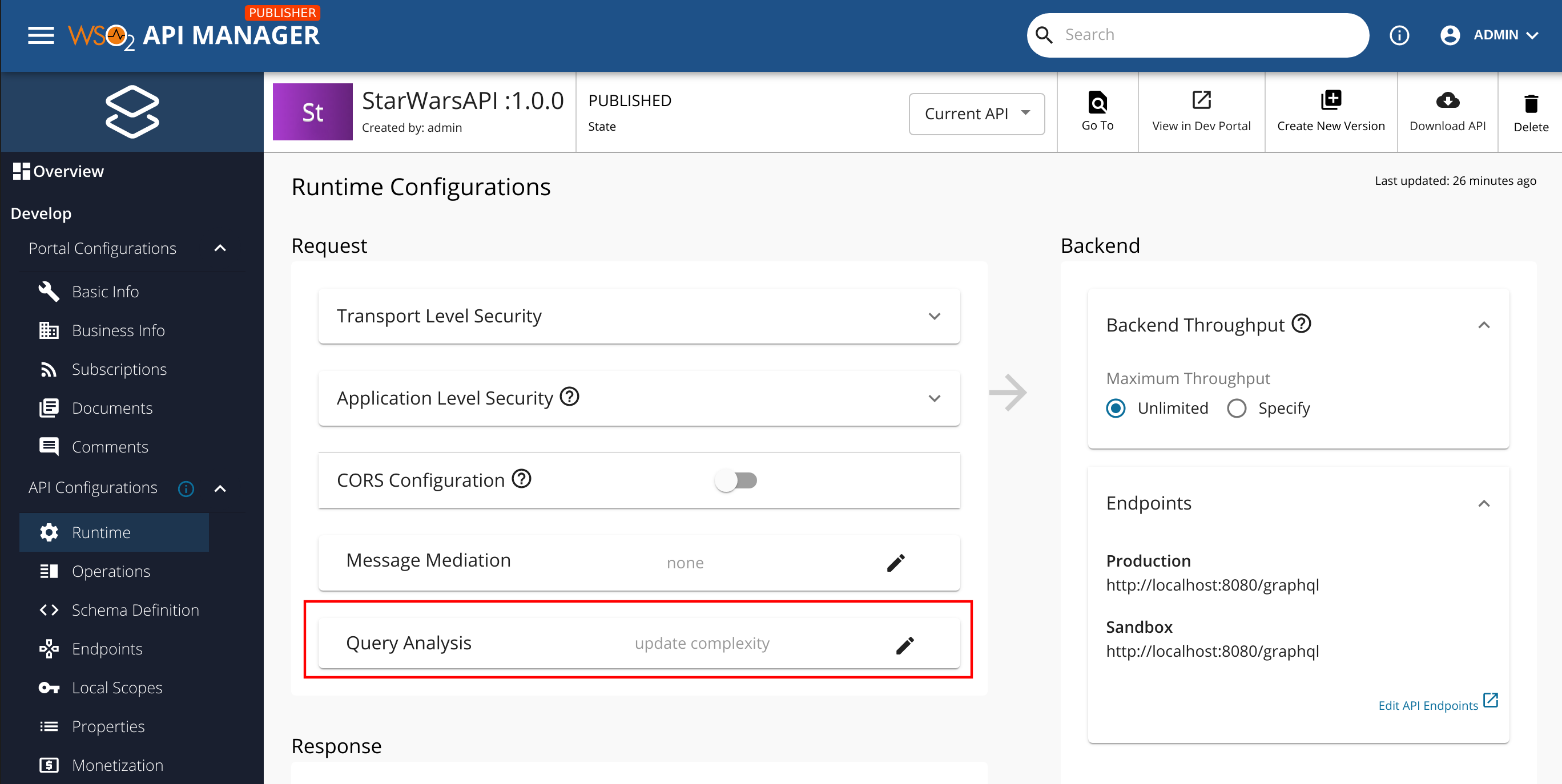
- Update complexity values based on the actual cost of resolving each field.
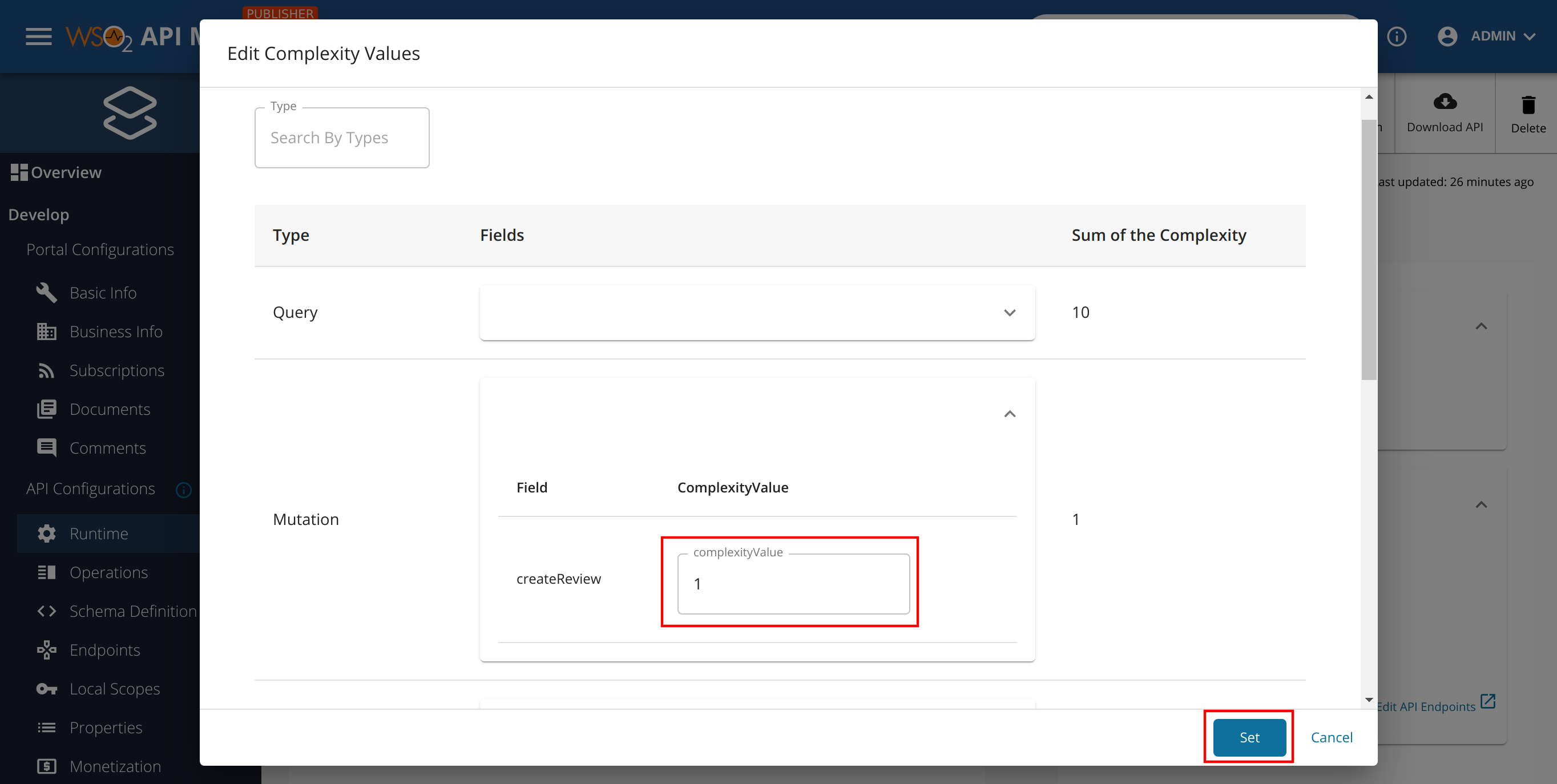
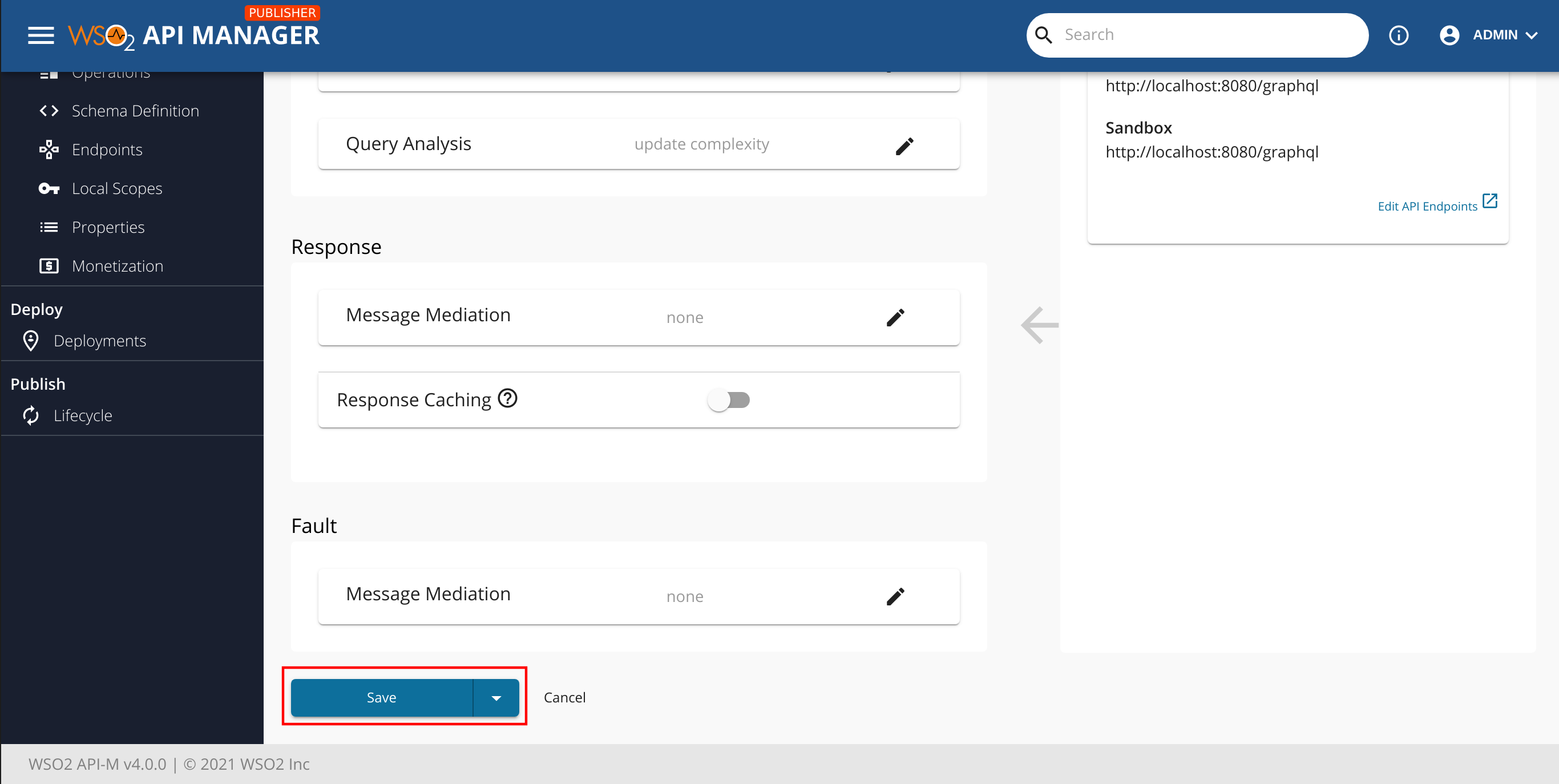
- Click Set, then Save to update the API.
Note
Assign higher complexity values to fields that perform expensive operations like database joins, external API calls, or complex computations. Fields that simply return stored values can use lower complexity values.
By configuring appropriate complexity values and assigning subscription tiers with complexity limits, you protect your backend services from expensive GraphQL queries while allowing legitimate use.
See Also
- For more information on setting GraphQL Query Limits in Subscription Policies, see GraphQL Query Limits in Subscription Policies.
- Learn how to limit query depth to protect your backend from deeply nested queries, see GraphQL Query Depth Analysis.