Set API Operation Limits
Advanced Rate Limiting policies allow you to apply granular rate limits to your APIs at two levels: the entire API or specific operations (resources). Unlike subscription tiers which apply to application subscription, these limits control how individual APIs or operations are accessed regardless of the calling application.
API-Level vs. Resource-Level Rate Limiting
You can apply rate limits at different levels depending on your needs:
- API-Level: Applies a single limit to all operations within an API.
- Resource-Level (Operation-Level): Applies individual limits to specific HTTP operations (GET, POST, etc.) within an API.
Resource-level limiting is useful when different operations have different performance characteristics. For example, a financial transaction operation might need stricter limits than a simple lookup operation. Advanced policies can also specify bandwidth limits per unit time instead of request counts.
Tip
Advanced Rate Limiting policies are defined by Administrators in the Admin Portal. As a Publisher, you select which policies to apply to your API or its operations. For information on creating custom advanced policies, see Adding a new Advanced Rate Limiting policy.
Applying API-Level Rate Limiting
To apply a rate limit to your entire API:
- Log in to the API Publisher.
- Select your API and navigate to Develop > API Configurations > Runtime.
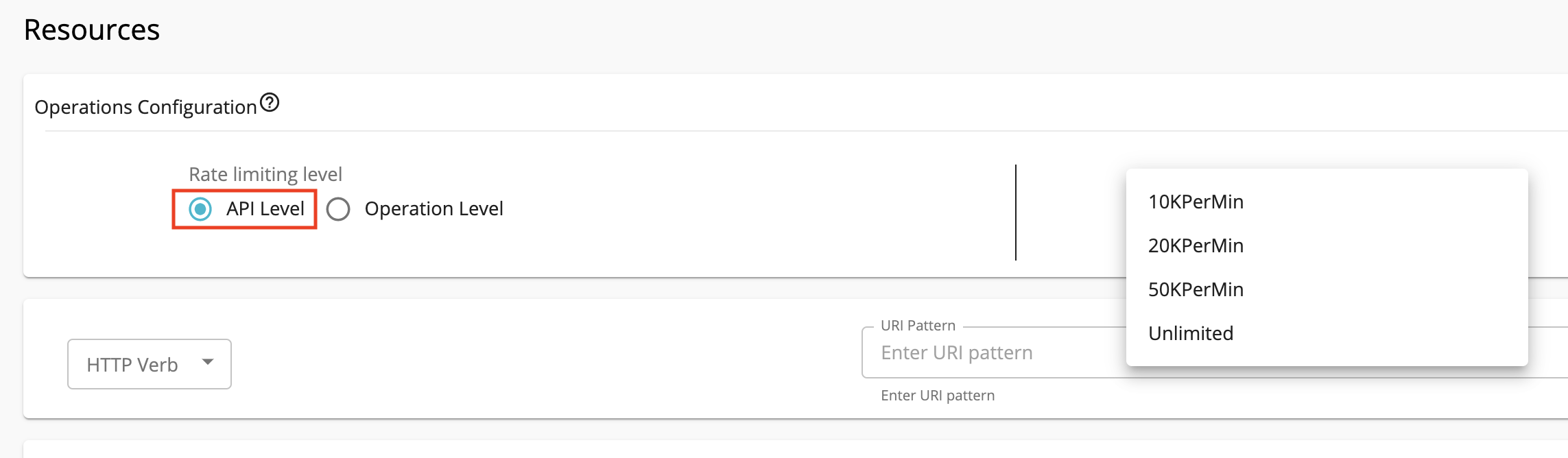
- Under Rate Limiting Level, select API Level.
- Choose the desired rate limiting policy from the available options.
Applying Resource-Level Rate Limiting
To apply individual rate limits to specific operations:
- Log in to the API Publisher.
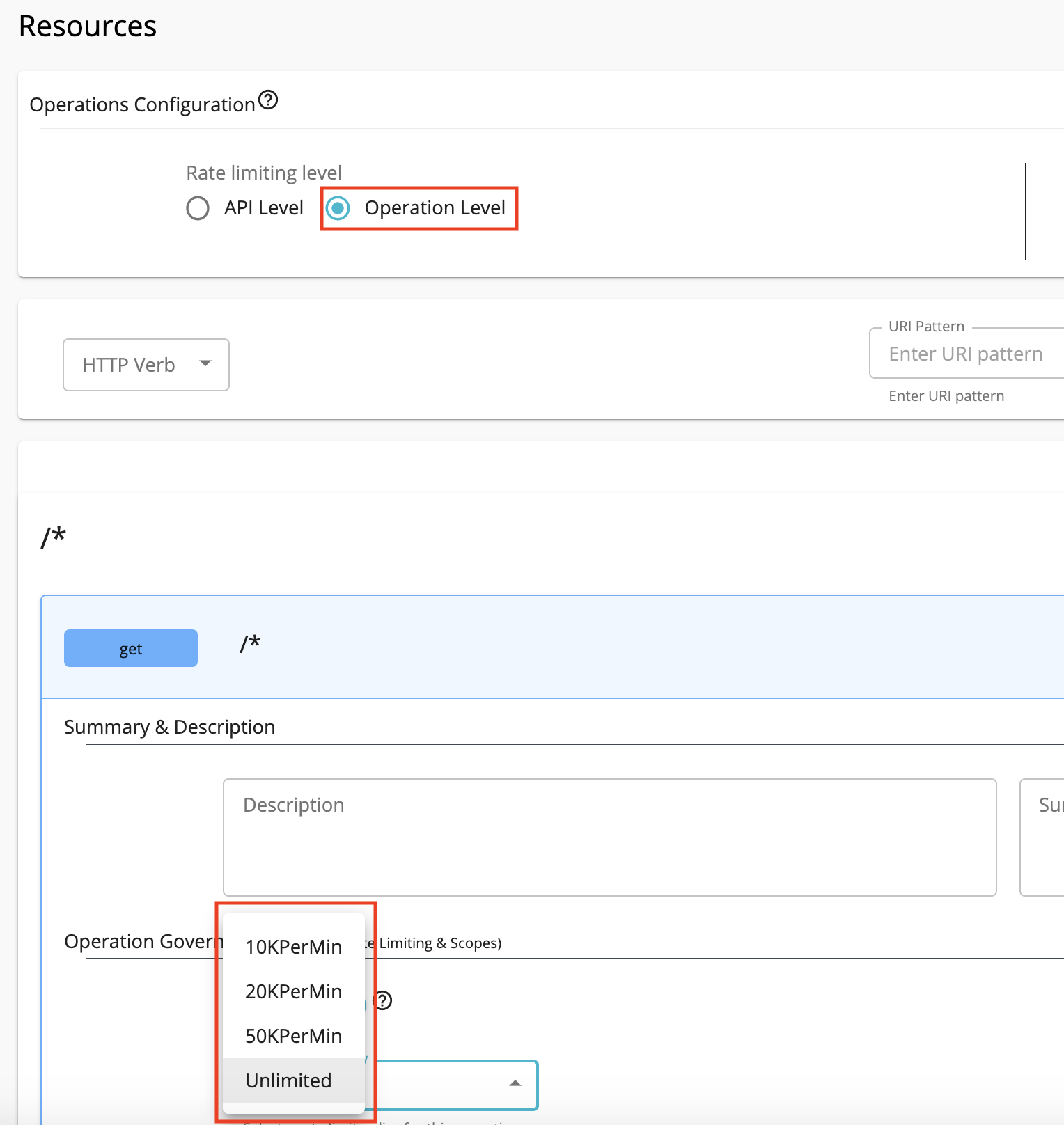
- Select your API and navigate to Develop > API Configurations > Resources.
- For each operation (HTTP verb), select the desired rate limiting policy from the dropdown.
Default Advanced Rate Limiting Tiers
The system includes the following default advanced rate limiting tiers:
- 10KPerMin: 10,000 requests per minute
- 20KPerMin: 20,000 requests per minute
- 50KPerMin: 50,000 requests per minute
- Unlimited: Allows unlimited access
Defining Policies via API Definition
When creating an API by importing a Swagger or OpenAPI definition, you can define rate limiting policies directly in the specification using the x-wso2-throttling-tier extension.
API-level policy:
x-wso2-basePath: /petstore/v1
x-wso2-throttling-tier: 10kPerMin
x-wso2-production-endpoints:
  urls:
    - https://petstore.swagger.io/v2
Resource-level policy:
paths:
  "/pet/findByStatus":
    get:
      tags:
        - pet
      summary: Finds Pets by status
      description: Multiple status values can be provided with comma separated strings
      operationId: findPetsByStatus
      x-wso2-throttling-tier: 20kPerMin
Understanding Advanced Policy Capabilities
When selecting an advanced rate limiting policy for your API, you're choosing from policies that Administrators have created in the Admin Portal. These policies can include sophisticated filtering rules that apply different limits based on request characteristics such as:
- IP Address and Address Range: Different limits for internal vs. external IP addresses
- HTTP Request Headers: Different limits based on content type or other headers
- JWT Claims: Role-based or user-specific limits extracted from JWT tokens
- Query Parameters: Different limits based on query parameter values
As a Publisher, you simply select the appropriate policy name from the dropdown. The filtering logic and conditions are pre-configured by Administrators.
Tip
If you need a custom advanced policy with specific filtering rules for your API, contact your Administrator to create the policy in the Admin Portal. You can then select it from the available policies when configuring your API.
See Also
-
For more information on creating and configuring advanced rate limiting policies, see Managing Advanced Rate Limiting policies.
-
Learn how to ensure your backend remain stable even as API usage grows, see Protect Backend Services.