Backup and Recovery
None of the WSO2 products persist data in the file systems or retain or generate artifacts. By default, we only store log files in the file system and data and artifacts in the databases and the repository.
What You Should Backup
-
Database backups :
Can be done through the RDBMS platform you are using either manually or using scheduled operations.- Back up of all the databases defined in
<PRODUCT_HOME>/repository/conf/datasources/master-datasources.xml. - Back up any other databases configured in any files in the
<PRODUCT_HOME>/repository/conf/datasources directory.
- Back up of all the databases defined in
-
WSO2 product instance backups :
A one-time-only backup that you take of the entire server directory. This includes all the configuration files, logs, server extensions, and deployment artifacts for both tenants and super tenants. This back up is ideally done when the server is ready to be deployed in a production environment. Also, a full backup of the entire server pack is also created automatically each time it is updated via the u2 tool, before the update process begins.
Backup recommendations
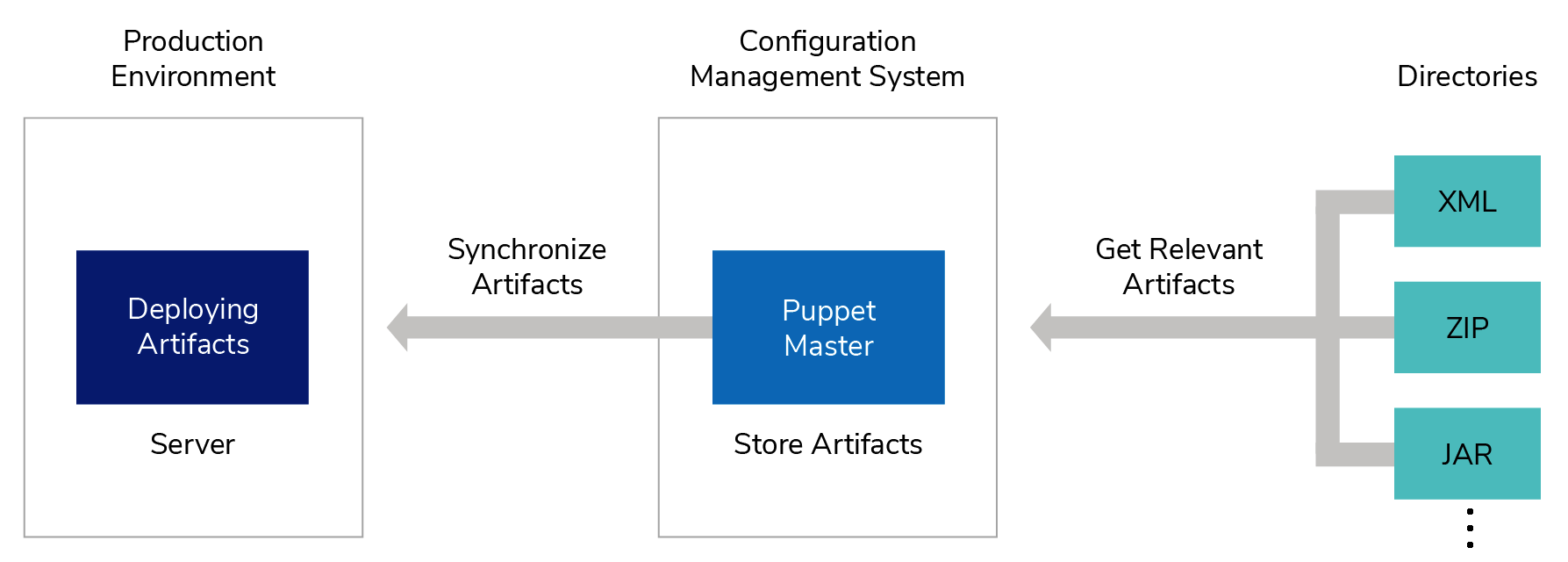
We recommend that you use a proper artifact management system such as Puppet to back up and manage your artifacts before deploying them in the API Manager runtime. Also, use the WSO2 Updates 2.0 tool, which allows you to get the latest updates (bug fixes and security fixes) of a particular product release.
Recovery recommendations
Be sure to determine the following depending on your business-continuity requirements:
- Recovery Time Objective (RTO): How long does it take to recover to the RPO.
- Backup Frequency: How frequently you should take backups. If your RPO is one day, your backup frequency should be daily.
- Disaster Recovery Site: The place where the latest copy of your backup is. This can be from a different shelf in your data center to a completely different geographical location.
We also recommend the following:
- Align your artifact deployment and recovery processes.
- Schedule disaster recovery drills to test the system's ability to recover.
- Test your artifacts in an environment that is identical to the production environment before deploying them into production.
Recovery strategy
The following steps include how to recover your setup using the backups:
- Recover the hot-deployment artifacts by replacing the
<PRODUCT_HOME>/repositorydirectory with the backed up copy. - To recover the databases, follow the recovery strategy recommended by the databases you are using. For information on supported and tested databases, see Tested Database Management Systems.